Cover Whale dash cam/ELD rules for small fleets: requirement basics, forward-facing policy, costs, timelines, and how to avoid cancellation—read now.
Cover Whale dash cam requirement for small fleets is usually a telemetry data-sharing requirement that many fleets can satisfy by either connecting a supported ELD or installing an outward-facing dash cam—and doing it within the timeline in your bind packet to avoid non-compliance notices or possible policy action. Always confirm your exact bind requirements in writing.
If you’re trying to keep trucks rolling and cash flow steady, this isn’t a “nice-to-have” admin task—it’s part of keeping your commercial auto liability in good standing. If you want a quick refresher on the building blocks, start with commercial truck insurance basics.
This guide is written for small fleets (often 1–25 power units) with limited office time: a simple decision path, what to budget for, and a rescue plan if you’re already behind.
Table of Contents
Reading time: 8 minutes
- Key takeaways
- What Cover Whale is requiring (and why small fleets should care)
- Dash cam vs ELD: which option is best for a 1–25 truck fleet?
- Timelines, costs, and what happens if you’re non-compliant
- Small-fleet setup walkthrough (outward-facing dash cam) + onboarding checklist
- Frequently Asked Questions
- Conclusion: Stay compliant without losing dispatch time

Key takeaways
Small fleets typically stay compliant by choosing one telemetry path (supported ELD connection or outward-facing dash cam) and verifying the system shows the truck as active/connected before the deadline in the bind documents.
- It’s usually ELD or outward-facing dash cam: The goal is telemetry data sharing for the insurance program, which is separate from federal ELD rules.
- Small fleets get hurt the most by delays: One missed deadline can trigger a compliance scramble (and increase lapse risk).
- Standardize your rollout: Same mount location, same install checklist, same “do-not-unplug” driver rule.
- Budget for real-world friction: Admin time, troubleshooting, and possible replacement fees matter as much as hardware.
What Cover Whale is requiring (and why small fleets should care)
Cover Whale’s published Driver Safety Program materials describe a telemetry data-sharing requirement for applicable Auto Liability policies that can be satisfied by connecting a supported ELD or installing a dash cam, depending on the program and policy details.
What it is (plain English)
In plain terms, the program is trying to make sure driving data is available for safety and claims handling—not just that a device is sitting in a box or plugged in without transmitting.
Start with Cover Whale’s own documentation so you’re not operating on rumor:
- Driver Safety Program FAQs: https://help.coverwhale.com/knowledge/driver-safety-program-faqs
- Choosing your telemetry data-sharing method: https://help.coverwhale.com/migration/knowledge/choosing-your-telemetry-data-sharing-method
- Coverage guidelines: https://help.coverwhale.com/driver-resource-center/what-are-cover-whales-guidelines
Why it’s essential (business + claims reality)
Telematics and camera data can reduce “he said / she said” in an accident investigation by documenting speed, braking, location, and the road environment, which can affect claim outcomes and litigation posture.
Telematics is also a widely used insurance tool for understanding risk over time (NAIC overview): https://content.naic.org/cipr_topics/topic_telematics.htm.
If you want the plain-English version of how this ties to underwriting, pricing, and claims, read telematics and truck insurance.
Who needs to pay extra attention
- 1–25 truck operations: where the owner is also dispatch, safety, and HR.
- New ventures: thin history often means underwriters lean harder on measurable safety controls.
- Operations with frequent equipment changes: swaps, leased-on units, windshield replacements, or mixed power units create more “disconnect” events.
- Any fleet on tight margins: a cancellation can disrupt broker setups, contracts, and load access.
Dash cam vs ELD: which option is best for a 1–25 truck fleet?
Cover Whale’s telemetry options documentation describes two main compliance paths—ELD connection or outward-facing dash cam—to meet the telemetry data-sharing requirement on applicable policies.
What it is (two compliance paths)
Cover Whale describes two ways to meet the requirement:
- ELD connection: Share data via a supported ELD.
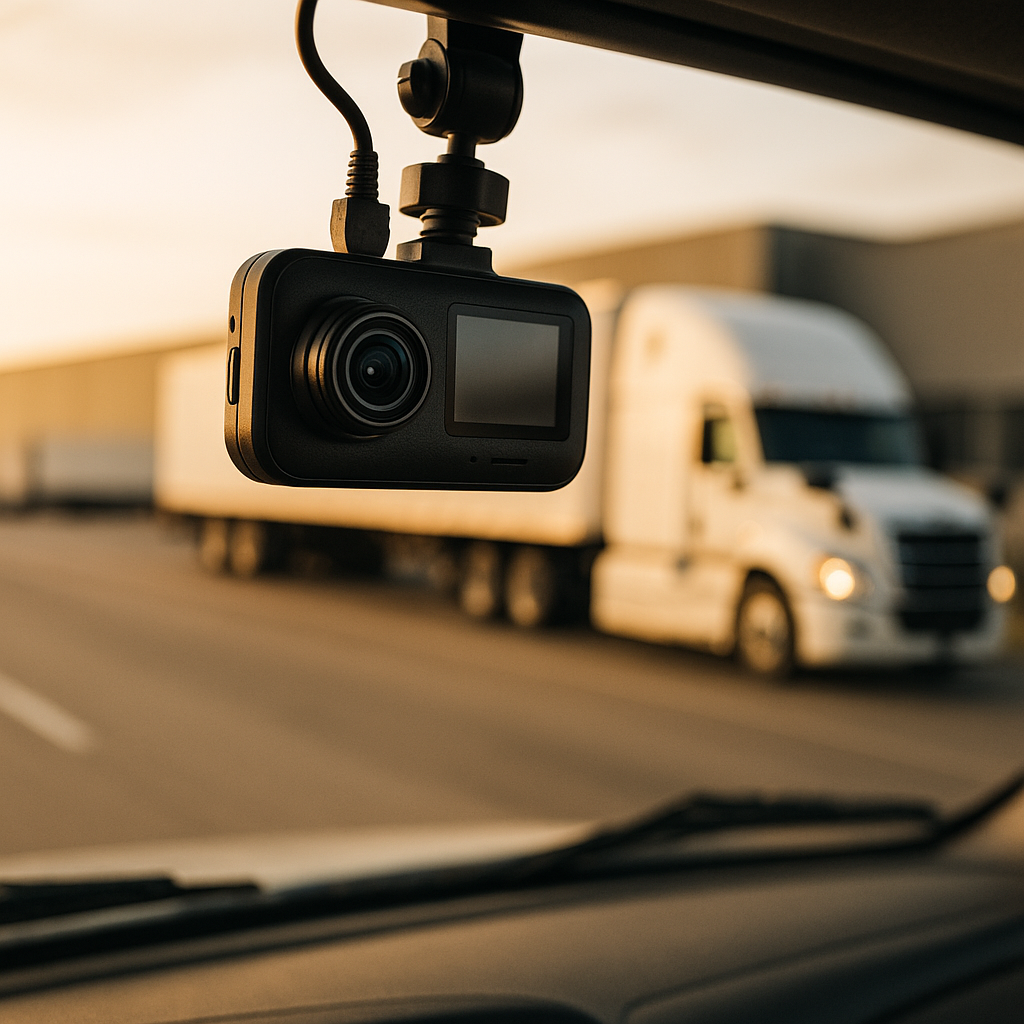
- Outward-facing dash cam: Install the camera solution described in the program documentation.
Cover Whale’s “either/or” explainer is here: https://help.coverwhale.com/migration/knowledge/choosing-your-telemetry-data-sharing-method.
Decision tree (fast)
Choose ELD if you already run an ELD across the fleet, it’s supported, and you can complete the connection steps quickly.
Choose dash cam if your ELD isn’t supported (or you don’t run one), you want a standardized “known-good” compliance route, or you have mixed truck types that make ELD standardization harder.
Supported ELD guidance (Cover Whale): https://help.coverwhale.com/knowledge/what-electronic-logging-devices-elds-are-supported.
ELD compliance vs insurance telemetry (don’t mix these up)
FMCSA’s ELD rules relate to hours-of-service logging requirements, and FMCSA does not require dash cams as part of ELD compliance.
FMCSA ELD overview: https://www.fmcsa.dot.gov/hours-service/elds/electronic-logging-devices.
If your team needs a plain reset on what an ELD is (and what it isn’t), bookmark ELD compliance requirements.
Small-fleet pros/cons table
| Option | Pros for small fleets | Cons / friction points |
|---|---|---|
| ELD connection | No extra windshield hardware if you already run ELDs; can be faster if admin/IT is organized. | Compatibility issues; permissions/data-sharing setup; mixed devices across trucks. |
| Outward-facing dash cam | Easier to standardize across trucks; strong claim documentation; simpler to audit visually (“it’s installed and powered”). | Install time; power issues; drivers unplugging; windshield replacements causing disconnects. |
Pro tip (reduce headaches on Day 1)
Assign one person as the “device owner” and run a truck-by-truck checklist (unit number, serial number, install photo, and verified “active/connected” status). Most non-compliance problems aren’t bad drivers—they’re missing process.
Timelines, costs, and what happens if you’re non-compliant
Non-compliance most often happens when a fleet assumes “ordered” means “done,” even though compliance is typically based on a verified active connection or camera status within the time window listed in the binder or program instructions.
What it is (the timeline in stages)
Use a simple four-step timeline so nothing falls through:
- Bind
- Receive / confirm devices (or confirm ELD connectivity steps)
- Install / connect
- Verify status shows compliant (not just physically installed)
Cover Whale’s setup language and current process references are typically maintained here: https://help.coverwhale.com/migration/knowledge/choosing-your-telemetry-data-sharing-method.
If your bind packet states a specific install/connection window, treat it like a hard deadline. Don’t wait until the last day to discover a power issue, a missing serial number, or an unsupported ELD.
Why it’s essential (cost-per-mile thinking)
Even if hardware is advertised as low-cost or “included,” you still pay in admin time, troubleshooting, downtime, and potential premium disruption if the policy status is affected.
If you’re building a realistic budget, connect telemetry programs to your full pricing picture using what affects the cost of truck insurance.
Fees and replacement costs (know the number)
Some Cover Whale help-center workflows have referenced replacement fees (for example, $610 per vehicle in certain “replacement ordering” scenarios), but you should verify the current fee and the exact trigger conditions in the help center and/or your binder documents before assuming any number.
What happens if the dash cam isn’t installed (or ELD isn’t connected)?
Cover Whale’s Driver Safety Program FAQs discuss consequences of not meeting program requirements, which may include policy action if requirements aren’t met: https://help.coverwhale.com/knowledge/driver-safety-program-faqs.
Common small-fleet failure points:
- Device shipped to the wrong address (or sits on a desk).
- Install gets pushed because the shop is backed up.
- Power/cable issues (especially after windshield work).
- Driver unplugs it “just for today.”
- ELD is installed but data-sharing permissions never get completed.
Rescue plan (if you’re already behind)
- Verify the truck list is accurate (VIN/unit #) and match devices to units.
- Confirm shipping + delivery status (don’t assume).
- If using ELD, confirm it’s supported and the connection is actually active.
- Take install photos and keep them in a compliance folder with dates/unit numbers.
- Escalate early—48 hours before a deadline is not the time to open your first ticket.
Small-fleet setup walkthrough (outward-facing dash cam) + onboarding checklist
Cover Whale’s telemetry documentation states the program moved to outward-facing (forward-facing) cameras and discontinued inward-facing cameras effective May 5, 2025, but fleets should still verify current requirements in their bind packet.
Are inward-facing cameras still required?
Per Cover Whale’s telemetry method documentation, inward-facing cameras were discontinued and the program moved to outward-facing only; verify current language here: https://help.coverwhale.com/migration/knowledge/choosing-your-telemetry-data-sharing-method.
Before you install: standardize across trucks
Small fleets win by removing choices and making installs repeatable.
- One mounting standard: same location on every windshield.
- One power-routing standard: so a windshield replacement doesn’t trigger a disconnect event.
- One driver rule: a signed “Do Not Unplug” policy at onboarding.
For best practices on placement, power, and driver coaching, use dash cams for commercial trucks.
Install + verify checklist (copy/paste)
- Inventory: log camera serial numbers to unit numbers (a spreadsheet works).
- Mount: confirm forward road view is clear (no visor block, minimal dash reflection).
- Power: connect power properly and confirm it stays powered when expected.
- Activate: follow the current Cover Whale setup steps in the telemetry method documentation.
- Verify: confirm the unit shows “active/connected/compliant” in the required platform.
- Driver brief (5 minutes): don’t unplug it; report windshield replacement and damage immediately.
- Weekly spot check: verify a few units each week so issues don’t stack up.
Mini rollout plan (1 truck vs 5 trucks vs 25 trucks)
- 1 truck: install the same day you receive the device; verification is your “done.”
- 5 trucks: knock out 2 trucks/day and verify each before moving on.
- 25 trucks: treat it like a project—assign a lead, track units, and verify in batches.
Process discipline protects every line on your insurance stack—auto liability, cargo, and physical damage—whether you call it semi truck insurance or a broader trucking insurance program.
Frequently Asked Questions
Cover Whale’s help center describes a telemetry data-sharing requirement for applicable Auto Liability policies that can be met by connecting a supported ELD or installing a dash cam, depending on the program and what’s listed in your bind documents. Use the Driver Safety Program FAQs as the starting point and confirm the requirement in writing for your specific policy: https://help.coverwhale.com/knowledge/driver-safety-program-faqs. The practical risk for small fleets isn’t the rule—it’s missing the install/connection deadline and failing to verify the truck shows “active/connected” in the platform.
Often yes—if your ELD is supported and you complete the required data-sharing connection steps so the system shows an active connection. Cover Whale publishes supported ELD guidance here: https://help.coverwhale.com/knowledge/what-electronic-logging-devices-elds-are-supported. If your ELD isn’t on the supported list or you can’t complete the permissions/connection steps quickly, the outward-facing dash cam route is often the fastest way to standardize compliance across trucks.
Cover Whale’s telemetry method documentation states that inward-facing cameras were discontinued and the program moved to outward-facing only, effective May 5, 2025. Verify the current language here: https://help.coverwhale.com/migration/knowledge/choosing-your-telemetry-data-sharing-method. Because program terms can change, the safest move is to confirm what your binder says for your policy term and then standardize installs across the fleet to prevent disconnects.
You avoid cancellation risk by responding to non-compliance notices immediately, choosing your compliance path (ELD or dash cam), documenting the work, and verifying the system shows the truck as active/connected/compliant before the deadline. The most common small-fleet delays are shipping issues, power/cable problems after windshield work, and incomplete ELD permissions—not “bad driving.” For a broader checklist that applies across carriers, keep how to avoid truck insurance cancellation handy.
Conclusion: Stay compliant without losing dispatch time
Cover Whale’s dash cam/ELD requirement is manageable when you run it like an SOP: pick your path, install/connect fast, verify status, and maintain it (especially after windshield work). The win for small fleets is simple—avoid surprises that can threaten coverage continuity.
Key Takeaways:
- Don’t guess: confirm your requirement and deadline in writing in the bind packet.
- Verification beats installation: “powered and active/connected” is the goal.
- Standardization prevents repeat problems: same mount, same power routing, same driver policy.
Related reading (build your small-fleet playbook):