
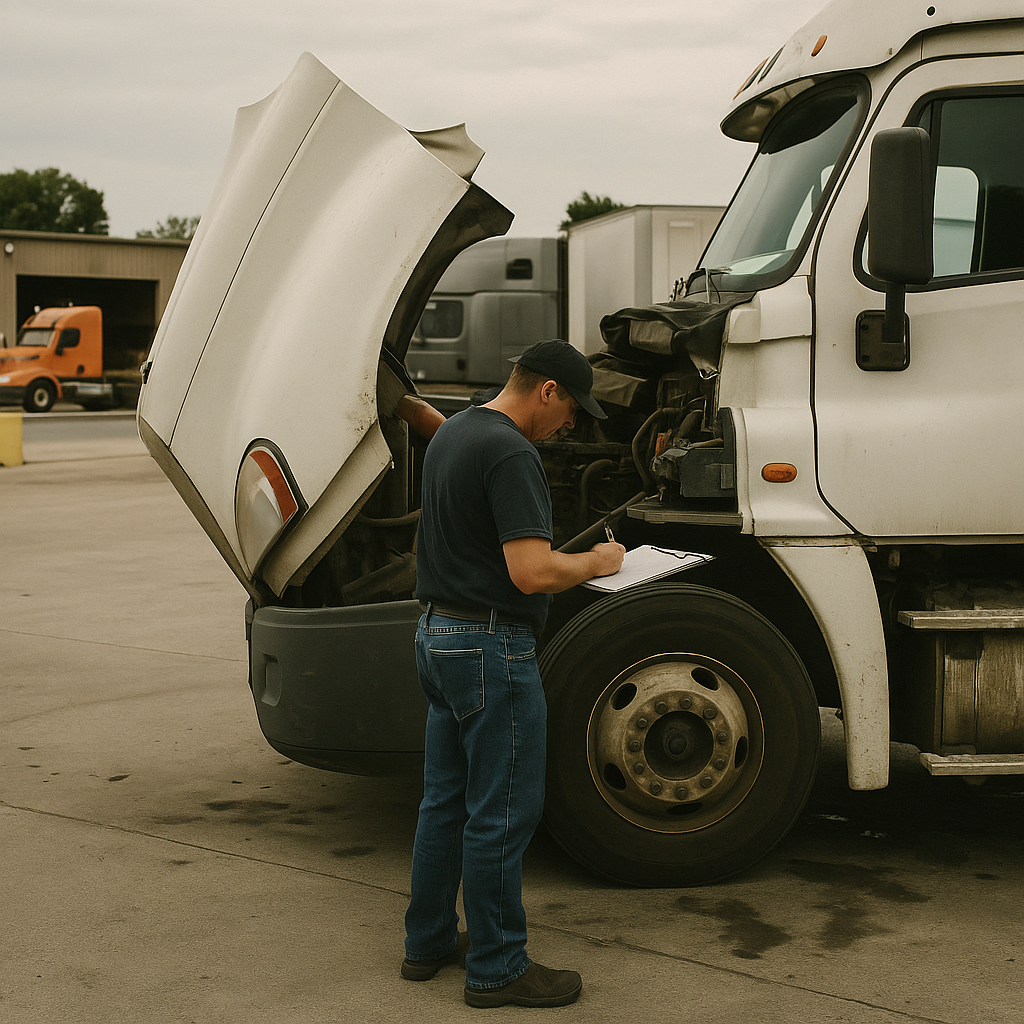

If you run under your own authority, an FMCSA Roadside Inspection Report is one of those documents you don’t want to misunderstand. It can affect the driver, the truck, the carrier record, or all three. The key is knowing what the report actually says, what it doesn’t say, and what to do next if something on it is wrong.
What an FMCSA Roadside Inspection Report tells you#
An FMCSA roadside inspection report documents an enforcement inspection of the driver, truck, and any records the officer reviewed at a specific time and place. It tells you what inspection happened, who performed it, what equipment or documents were checked, whether violations were found, and whether anything was placed out of service.
A roadside inspection is an official safety inspection done by an enforcement officer, usually using CVSA procedures during a stop, checkpoint, or inspection event. The Commercial Vehicle Safety Alliance (CVSA) is the group whose inspection levels and out-of-service criteria are commonly used by inspectors across North America.
What happens during a roadside inspection#
The officer may inspect the driver, the vehicle, or both, depending on the inspection level. That can include your license, hours-of-service records, Electronic Logging Device (ELD) data, lights, brakes, tires, cargo securement, and other safety items tied to the trip and operation.
For an owner-operator, the big thing to remember is that this isn’t just a casual warning slip. It’s a record tied to your operation, your USDOT number, and sometimes your safety data.
How to identify the inspection level and result#
Look first for the inspection level, date, location, agency, and officer information. Then check the truck and trailer identifiers, the driver’s information, any listed violations, and whether the report shows an out-of-service condition.
Violations may be assigned to the driver, vehicle, carrier, or a mix of those. A clean inspection is good, but it doesn’t replace your regular maintenance, document retention, or other compliance duties.
What an out-of-service order means#
An out-of-service finding means the officer identified a condition serious enough that the driver or vehicle can’t keep operating until the issue is corrected. The Out-of-Service Criteria are the standards inspectors use to decide when a defect or violation is serious enough to stop movement.
That matters because not every violation is out of service, but every out-of-service issue needs immediate attention. If your report shows one, deal with the safety problem first and paperwork second.

What the DOT roadside inspection checklist can include#
There isn’t one universal DOT roadside checklist that applies the same way to every truck, load, and carrier. What gets reviewed depends on the inspection level, your operation, the vehicle, the cargo, and whether the officer is doing a driver-focused, vehicle-focused, or more complete inspection.
Driver qualification and hours-of-service records#
On the driver side, an officer may ask for your CDL, medical qualification information where applicable, and your record-of-duty status. If you’re using an ELD, be ready to display or transfer the data and provide transfer instructions if needed.
The officer may also compare what you’re presenting against the trip details, supporting documents, and hours-of-service status. If something doesn’t line up, that can turn a short inspection into a long one.
Vehicle equipment and maintenance items#
On the vehicle side, common checks include brakes, tires, lights, steering, suspension, coupling equipment, windshield wipers, emergency equipment, and required markings. The officer may also look for proof that required inspection and maintenance documentation exists.
A roadside inspection report is different from your maintenance file, but the two connect fast when defects show up. A bad tire, inoperative light, or brake issue can quickly move from “annoying stop” to “expensive delay.”
Cargo securement and hazardous-materials items when applicable#
Cargo securement rules apply when you’re hauling freight that must be tied down, blocked, braced, or otherwise secured. If you’re hauling hazardous materials, the inspection can also include placards, shipping papers, package handling, and hazmat-specific requirements.
That means the same owner-operator might face a different inspection scope depending on today’s load. General freight, auto hauling, and hazmat don’t get looked at exactly the same way.
Why the inspection level changes what is reviewed#
The inspection level tells you how broad the review was. Some inspections focus mostly on the driver, some on the vehicle, and some cover both in depth.
| Inspection category | Typical focus | Common items reviewed | Scope notes |
|---|---|---|---|
| Driver-focused | Driver status and records | CDL, medical card, HOS, ELD, seat belt | Often limited vehicle review |
| Vehicle-focused | Mechanical condition | Brakes, tires, lights, steering, coupling | Driver docs may be minimal |
| Full roadside inspection | Driver and vehicle | Driver records plus major equipment | Broadest common scope |
| Cargo or hazmat review | Load-specific compliance | Securement, placards, shipping papers | Depends on commodity |
| Carrier-related record review | Operation-specific records | Authority, permits, proof documents | Varies by jurisdiction and stop |
What to have ready before an officer asks#
The best way to handle a roadside inspection is to organize records before you ever get stopped. You don’t need to keep every carrier file in the cab, but you do need the documents that are commonly requested and a clear way to produce the rest without delays.
Driver documents to keep accessible#
Keep your CDL, registration, permits, and proof of insurance where required easy to reach. If you’re required to use an ELD, keep the device working, charged, and ready to display or transfer records.
If your annual inspection documentation belongs in the truck, don’t bury it under receipts and straps. When you fumble around the cab for basic paperwork, you make a simple inspection feel worse than it needs to.
Vehicle and maintenance records to organize#
Not every maintenance record has to live in the cab, but the carrier should be able to produce maintenance and driver qualification records when required. That includes records tied to repairs, periodic inspections, and support for anything questioned on the roadside report.
A one-truck operation still needs a real system. If you’re not sure your insurance paperwork matches your current authority, equipment, or hauling setup,
How to present electronic records without creating delays#
Before you leave for a load, make sure your ELD can display logs and complete a transfer if required. Check log edits, unidentified driving time, and any missing data before an officer is the one finding the problem.
Do the same for any permits or digital documents you keep on your phone or tablet. If the battery dies or the app won’t load, “I have it somewhere” won’t help much on the shoulder.
Roadside reports vs. DVIRs, pre-trip checks, and annual inspections#
These terms get mixed together all the time, but they are not the same thing. A roadside inspection report, a Driver Vehicle Inspection Report (DVIR), a pre-trip check, and a periodic or annual inspection each serve a different job, happen at different times, and create different records.
Under 49 CFR Part 396, federal rules separate driver inspection reporting from periodic inspection requirements. Under 49 CFR 392.7, a driver must be satisfied that certain parts and accessories are in good working order before operating the commercial motor vehicle.
Roadside inspection reports#
A roadside inspection report is the officer-issued record created after an enforcement inspection. It reflects what the inspector found during that stop, not your whole maintenance history or your next required maintenance step.
That report can show no violations, non-out-of-service violations, or out-of-service conditions. It can also affect the driver, vehicle, and carrier differently depending on what was found.
Driver vehicle inspection reports#
A DVIR is the driver’s written report about the vehicle’s condition and any defects found during the required reporting process. Under 49 CFR 396.11, the DVIR rules govern how drivers report certain defects or deficiencies and how carriers address them.
A DVIR is not the same as a roadside report. One comes from the driver or carrier process; the other comes from enforcement.
Pre-trip and post-trip checks#
A pre-trip inspection is the driver’s operational safety check before driving. A post-trip process is how the driver notes problems that showed up during the day and, when required, reports defects that need attention.
That daily habit matters even when no paper report gets handed to you roadside. It is part of safe operation, not a substitute for an official inspection record.
Periodic or annual inspection records#
A periodic inspection is the recurring vehicle inspection required under federal maintenance rules. Under 49 CFR 396.17, commercial motor vehicles must pass a periodic inspection at least once every 12 months, and 49 CFR 396.21 covers the inspection report or decal documentation used to show that inspection was completed.
A roadside inspection does not automatically count as your annual inspection. It may satisfy that requirement only if it meets the applicable annual inspection criteria and documentation conditions. Don’t assume any Level I report automatically covers your yearly requirement.
| Activity | Who performs it | When it happens | Main purpose | Resulting record |
|---|---|---|---|---|
| Roadside inspection | Enforcement officer | During a stop or inspection event | Safety enforcement review | Roadside inspection report |
| Pre-trip check | Driver | Before driving | Confirm safe operating condition | Usually no separate formal report |
| Post-trip defect review | Driver | After operation | Identify defects needing attention | May feed DVIR process |
| DVIR | Driver | After trip when required | Report defects or deficiencies | DVIR record |
| Periodic annual inspection | Qualified inspector | Recurring schedule | Satisfy maintenance inspection rule | Annual inspection documentation |
How to read a violation and decide what to do next#
When you get a report with violations, read each line carefully before you panic. You need to separate what was cited, who it was assigned to, whether it was out of service, what evidence supports your side, and whether the issue is something to fix, document, or formally dispute.
Separate out-of-service issues from non-out-of-service violations#
An out-of-service violation stops movement until corrected. A non-out-of-service violation may let you continue, but it’s still part of the inspection record and still worth reviewing closely.
Start by marking which violations were immediate shutdown items and which were not. Then confirm whether each one was attributed to the driver, vehicle, carrier, or multiple parties.
Document repairs and corrective action#
Fixing the safety issue matters first. Save repair invoices, shop notes, photos, replacement-part records, and any maintenance entries showing what was corrected and when.
That said, correcting the defect doesn’t automatically erase the reported violation from inspection data. The repair solves the safety problem, but the inspection record may still stand unless the reviewing agency changes it.
Review responsibility codes and report details#
Read the cited regulation, vehicle information, unit numbers, plate numbers, date, time, and location. Check whether the officer noted the correct truck, trailer, log status, or defect description.
Small data errors can matter. If the report shows the wrong unit, wrong trailer, or wrong driver detail, preserve your proof before memories and digital records get messy.
Know when a data-review request may be appropriate#
DataQs is FMCSA’s system for asking for a review of certain inspection and safety data when you believe the record is inaccurate. FMCSA explains that carriers and drivers can use DataQs to submit a fact-based request with supporting documents for agency review.
Use that process carefully. Be specific, attach records, and explain exactly what is wrong with the entry. Don’t promise yourself the violation will disappear; the reviewing agency decides whether the data should be changed.
How to find and monitor roadside inspection records#
Your first and best record is the copy you received at the roadside. Keep that copy, scan it, and compare it later against the inspection information that appears in official systems, because public-facing summaries don’t always show every detail you need.
Where carriers can review inspection data#
Carriers should monitor their inspection information through the FMCSA systems that apply to their operation. The Safety Measurement System (SMS) is FMCSA’s safety-data system used to organize roadside inspection and crash information for compliance review purposes.
The main point is simple: don’t rely on memory or a photo buried in your phone. Save the actual report and use official systems to verify how the inspection was entered.
What SAFER can and cannot show#
The SAFER Company Snapshot is useful for checking carrier identification and safety-related public information. SAFER is FMCSA’s public system for basic carrier status and safety snapshot information.
But SAFER is not your full document file. It may help you confirm carrier details and some safety information, yet it may not provide the full underlying inspection report or every support document you need for follow-up.
Why you should save the officer-issued report#
Timing for inspection data to appear can vary based on reporting and processing. That’s why fixed promises like “it always shows up in a few days” aren’t reliable.
Use a simple workflow: save the report, scan it, log any repairs, calendar a follow-up check, review official data, and keep any DataQs support together. That habit saves a lot of scrambling later.
Build a simple roadside inspection follow-up routine#
A good follow-up routine keeps one inspection from turning into three different problems later. The goal is simple: fix safety issues fast, save proof, review the record, and keep everything where you can find it when an insurer, shipper, leasing company, or regulator asks.
Same-day actions#
Handle any out-of-service or safety issue first. Then save the report, take photos if needed, and start a repair file with receipts, work orders, and notes.
Actions to complete within the next week#
Review the citation details, compare the report against your records, and check official FMCSA systems after processing time has passed. If something appears inaccurate, organize your evidence before deciding whether a DataQs request makes sense.
How inspection records fit into a one-truck compliance file#
Keep roadside reports with maintenance records, annual inspection documentation, repair receipts, and insurance documents tied to the truck. Organized records reduce confusion when somebody asks for proof of how your operation is set up and maintained.
If you need help keeping commercial trucking coverage aligned with your authority, equipment, and operation,
FAQ#
What does the DOT roadside inspection checklist include?
The DOT roadside inspection checklist depends on the inspection level and the kind of operation you’re running. In many cases, it can include driver credentials, hours-of-service records, ELD data, vehicle condition, and load-related items. If you’re hauling regulated cargo, the officer may also review securement or hazmat-specific requirements.
For many owner-operators, the common items are CDL, medical qualification information where applicable, registration, permits, brakes, tires, lights, steering, suspension, coupling equipment, and emergency equipment. But there isn’t one universal list for every stop. A driver-focused inspection won’t look exactly like a full vehicle inspection, and a general freight run won’t be checked exactly like a hazmat load.
Can I do my own FMCSA inspection?
You can perform your own daily vehicle checks as the driver, and an owner-operator may be able to perform a periodic inspection if they meet the qualification rules for that inspection. But you cannot issue your own official enforcement roadside inspection report, because that report comes from an authorized officer during an actual roadside enforcement inspection.
This is where people mix up different inspection types. Your pre-trip and post-trip checks are part of safe operation. Your DVIR process is part of driver reporting. Your annual or periodic inspection is a separate maintenance requirement under federal rules. A roadside report is a law-enforcement inspection record, not a self-created form for your file.
What is required during a roadside inspection?
During a roadside inspection, you generally need to cooperate safely with the officer and provide the records that apply to your operation and the inspection level. That may include your license, hours-of-service records, ELD information, registration, and other vehicle or trip-related documents, along with access to the truck for equipment inspection.
The exact scope can change fast. Some inspections are mostly driver-focused, while others dig deeper into vehicle condition or cargo securement. The best preparation is practical: keep records organized, know how to display electronic logs, and make sure the truck is in safe operating condition before you roll.
What documents must be presented during a roadside inspection?
The documents presented during a roadside inspection depend on what applies to the trip and operation. Common examples include your CDL, medical qualification information where applicable, registration, permits, ELD records and transfer instructions where required, and proof of insurance where required by the jurisdiction or operation.
Some records should be accessible in the cab, while others should be available through the carrier if requested later. Annual inspection documentation, equipment records, and supporting maintenance paperwork are worth organizing before a stop happens. The main point isn’t to carry a mountain of paper. It’s to know what applies to your truck and have a clean way to produce it.
Can a Level I roadside inspection count as an annual inspection?
A Level I roadside inspection does not automatically replace the annual or periodic inspection requirement. It may only satisfy that requirement if it meets the applicable criteria for the annual inspection and the required documentation conditions are met under the federal maintenance rules.
That’s the part a lot of drivers hear wrong in truck-stop talk. A thorough roadside inspection can look a lot like an annual inspection, but similar is not the same as compliant. If you want to rely on a roadside inspection for periodic inspection purposes, confirm that the inspection type and documentation actually satisfy the rule instead of assuming the officer’s report covers it.
How do I challenge an FMCSA roadside inspection violation?
Start by saving the officer-issued report and gathering anything that supports your position, such as repair invoices, shop notes, photographs, ELD records, permits, and maintenance history. Correct the safety issue first if one exists. Then review the report line by line to confirm exactly what you believe is inaccurate.
If the issue is with the data itself, FMCSA’s DataQs system is the usual path for requesting a review of certain inspection and safety data. Keep the request factual and specific. Explain what is wrong, attach supporting records, and understand that the reviewing agency decides whether any change will be made.
How long does it take for an inspection to appear in FMCSA records?
There isn’t a guaranteed posting timeline that fits every roadside inspection. Reporting and processing can vary depending on the agency, the type of inspection, and how the data moves through the system. That’s why it’s smarter to monitor official FMCSA systems than to rely on a fixed number of days you heard from another driver.
The practical move is to keep your roadside copy, scan it, and set a reminder to check your official records later. When the data appears, compare it against your copy of the report. If something doesn’t match, you’ll be in a much better position to spot the issue early and decide whether follow-up is needed.