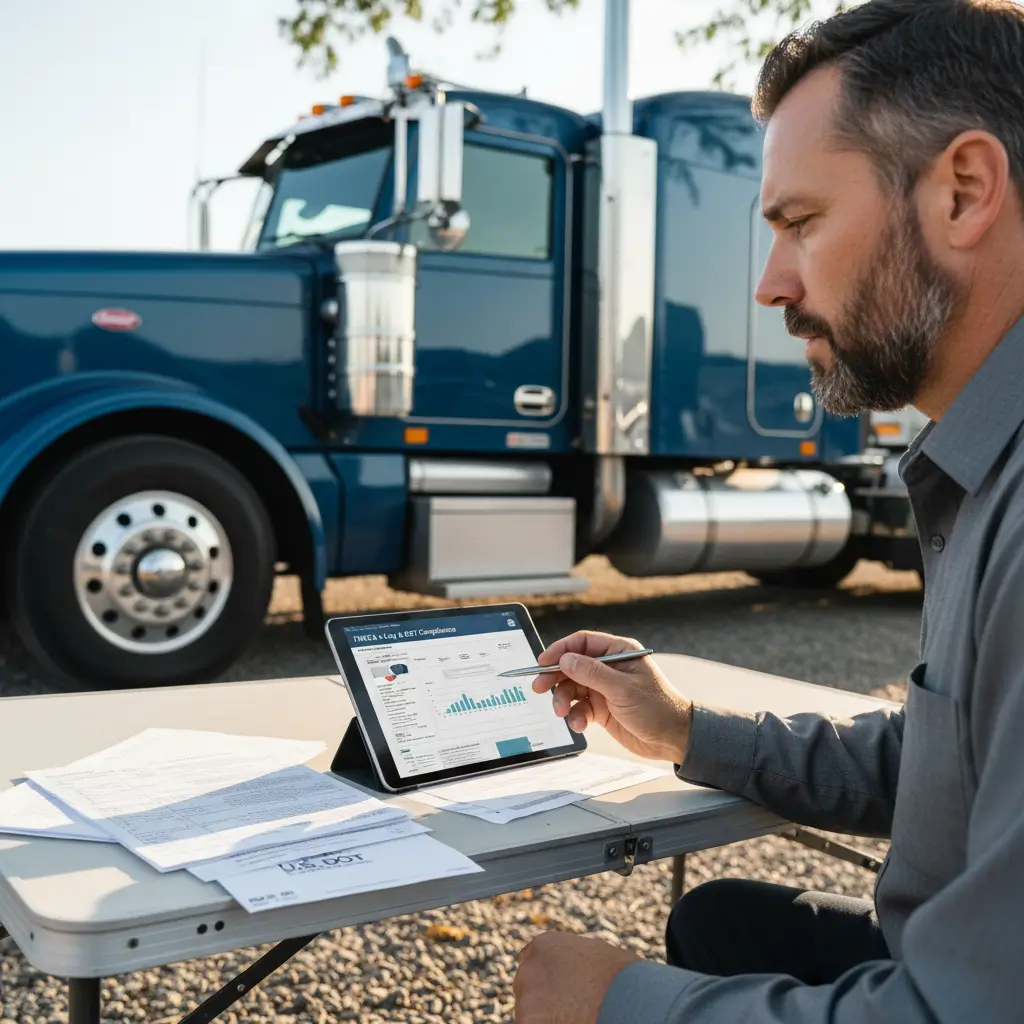

FMCSA Clearinghouse queries are the employer checks used to review a CDL driver’s Drug and Alcohol Clearinghouse record. If you’re an owner-operator or running a small fleet, the hard part usually isn’t the rule itself. It’s figuring out who does what, which query type to run, and why a task gets stuck in the portal.
What Is an FMCSA Clearinghouse Query?#
An FMCSA Clearinghouse query is an employer’s check of a CDL driver’s record in the FMCSA Drug and Alcohol Clearinghouse. That database tracks certain drug and alcohol program violations and return-to-duty information for drivers subject to federal testing rules, so the employer and the driver have different jobs inside the system.
The FMCSA Drug and Alcohol Clearinghouse is the federal online database run by the Federal Motor Carrier Safety Administration, an agency within the U.S. Department of Transportation. It stores records tied to commercial driver drug and alcohol program violations and return-to-duty status under 49 CFR Part 382 and 49 CFR Part 40.
A query is the employer’s request to check a driver’s Clearinghouse record. A commercial driver’s license, or CDL, is the license required for certain commercial motor vehicle operations.
What the Drug and Alcohol Clearinghouse tracks#
The Clearinghouse is not a general hiring file and not a driving record portal. It’s specifically tied to federal drug and alcohol compliance records for covered CDL drivers.
Who is an employer for Clearinghouse purposes#
For Clearinghouse purposes, “employer” doesn’t just mean a big carrier with an HR department. If you operate in a setup where you’re responsible for covered CDL-driver compliance, you may be acting as the employer, even in a one-truck operation.
Why drivers and employers have different portal tasks#
Drivers usually register, manage account details, and respond to consent requests. Employers or their designated staff handle query purchases, query requests, and compliance recordkeeping. An owner-operator’s exact duties depend on whether they employ CDL drivers, including themselves, and how their testing program is administered.

Which Clearinghouse Query Do You Need?#
Employers generally use a full query before hiring a covered CDL driver and a limited query at least annually for each covered employed CDL driver. The big difference is access and consent: full queries show detailed record information and require the driver’s electronic consent in the Clearinghouse, while limited queries use a different consent process the employer must obtain and retain.
FMCSA separates employer queries into full queries and limited queries on the official Drug and Alcohol Clearinghouse site. Under 49 CFR Part 382, covered employers have pre-employment and annual query duties, but the exact obligation depends on whether the driver and operation fall under the rule’s scope.
Full queries for pre-employment checks#
A full query is generally the one used before hiring a CDL driver who is subject to the federal drug and alcohol testing rules. It gives the employer the information needed to see whether the driver has a Clearinghouse record that affects qualification.
Because the information is more detailed, the driver must give electronic consent through the Clearinghouse before the full query is completed.
Limited queries for annual checks#
A limited query is generally used for the recurring annual check on each covered employed CDL driver. It tells the employer whether the Clearinghouse contains information that means a deeper review is needed.
For a limited query, the employer still needs driver consent, but that consent is handled under the applicable rule and must be obtained and retained by the employer.
When a limited-query result requires a full query#
If a limited query shows that records exist, the task isn’t really finished. The employer then has to move to the next compliance step, which can include running a full query with the driver’s electronic consent.
Choosing the right path as an owner-operator#
Not every owner-operator has the same setup. Some are only driving for themselves, some employ other CDL drivers, and some work through a consortium/third-party administrator, or CTPA, which is a service provider that helps manage parts of a drug and alcohol testing program.
If you’re unsure which lane you fall into, confirm your role, your testing-program structure, and whether the driver is covered before treating every query like a one-size-fits-all requirement.
How Employers Run an FMCSA Clearinghouse Query#
To run an FMCSA Clearinghouse query, log in under the employer role, confirm you have query capacity, enter the driver’s CDL details carefully, choose the right query type, submit the request, and then monitor consent status if it’s a full query. The job isn’t done until the query is completed, the result is reviewed, and your records are saved.
Start in the employer account, not the driver side of the portal. If you use a designated employer representative or a CTPA, make sure the assigned role matches the task you’re trying to complete.
Step 1 – Confirm your employer account and role#
Check that you’re in the correct account and acting under the correct employer-related role before you do anything else. A lot of delays start here, especially when someone can log in but can’t access the function they expected.
Step 2 – Purchase a query plan or individual queries#
Before you submit a request, confirm that your account actually has available queries. If the portal shows no query balance, buy the needed query capacity first.
Step 3 – Enter the driver’s CDL information#
Verify the driver’s identity and CDL details carefully before submitting. If the name, licensing state, or CDL information doesn’t match official records, you can create a preventable delay that looks like a system problem.
Step 4 – Request and monitor driver consent#
For a full query, the request stays pending until the driver logs in and gives electronic consent in the Clearinghouse. If the driver is waiting on onboarding and doesn’t know this step is sitting there, your “simple” query can stall the whole hire.
If you’re trying to sort out employer setup, compliance workflow, or which trucking coverages fit your operation,
Step 5 – Review the result and document completion#
Once the result comes back, review it and save proof that the query was completed. Keep consent and completion records according to your compliance process and the applicable FMCSA requirements.
Also remember that a returned result may trigger a compliance action. It’s not always a box you can just check and close.
What Drivers Need to Do Before a Query Can Be Completed#
Drivers need to register or access their Clearinghouse account, complete identity verification, confirm their CDL information is accurate, and watch for any full-query consent request. Drivers do not buy employer queries or run employer queries on themselves, but they can absolutely delay the process if their account or consent step isn’t handled in time.
FMCSA says drivers use the Drug and Alcohol Clearinghouse to register, manage account information, and provide electronic consent for full queries.
Register and verify your Clearinghouse account#
Don’t wait until the day a carrier needs a result back. If you’re changing jobs or onboarding with a new motor carrier, get into the account early and make sure identity verification is complete.
Keep CDL information accurate#
Your CDL details need to match the records the system expects. Small mismatches can cause bigger problems than most drivers expect.
Respond to a full-query consent request#
If an employer has requested a full query, the request isn’t complete until you log in and approve it electronically. If you don’t respond, the employer may not be able to finish a required pre-employment check.
Know what your employer can and cannot see#
Drivers often assume every query gives the employer the same information. It doesn’t. Query type matters, and so does the consent process tied to that query.
How to Buy Queries in the Clearinghouse#
Employers buy Clearinghouse queries from the employer account in the portal, not from a driver account. Before purchasing, confirm you’re in the right role, check your current balance, and estimate need based on covered drivers, expected hiring, and recurring annual reviews.
If you run a small fleet, don’t guess based only on truck count. Query demand follows drivers and hiring activity more than equipment count.
Use the current purchase flow and instructions inside the official Drug and Alcohol Clearinghouse, because portal screens and menu labels can change over time. It’s also smart to avoid buying first and troubleshooting access later if you’re not yet sure the account role is set up correctly.
Troubleshooting Clearinghouse Login, Consent, and CDL Issues#
Most Clearinghouse problems are best handled in order: confirm the correct portal account, verify the assigned role, check that the driver’s CDL details match official records, and then see whether a consent request is still pending. If that doesn’t fix it, stop repeating the same submission and move to official FMCSA support with good notes.
You cannot access the correct account role#
If you can log in but can’t perform the task, the issue may be role assignment instead of password access. Don’t create a duplicate account as a workaround. That usually makes cleanup harder.
The driver cannot complete identity verification#
A failed identity process is often not something brute force will solve. If the driver can’t verify identity after reasonable checks, gather the exact error and be ready to escalate.
CDL information does not match#
Check the driver’s name, CDL number, and issuing state against official records. If they don’t line up, the system may reject or stall the task.
A full query remains pending#
A pending full query often means the driver’s electronic consent hasn’t been completed yet. Verify that the request was sent and that the driver is checking the right account.
When to stop troubleshooting and contact support#
If you’re hitting repeated access, account, or query errors, use official FMCSA support resources rather than making more duplicate attempts. FMCSA provides contact options through the FMCSA contact center and Clearinghouse support.
Before you reach out, write down the error message, your user role, the affected driver’s details, your USDOT number, and the steps you already tried. Also separate portal help from compliance advice. A portal agent may help with access, but questions about program obligations may need your designated employer representative, CTPA, or legal/compliance guidance.
Clearinghouse Query Checklist for Owner-Operators and Small Fleets#
Use this checklist as an operational aid: confirm account access, verify the correct employer or driver role, check the driver’s CDL details, choose the right query type, confirm consent status, review the result, and save your records. It’s a fast way to reduce avoidable delays, but it doesn’t replace the applicable FMCSA rules or official Clearinghouse instructions.
For employer-side work, make sure you have portal access, the right role, available queries, the correct driver information, and a recordkeeping process. For driver-side work, make sure the account is active, identity verification is done, CDL information is accurate, and full-query consent requests are answered quickly.
If you’re an owner-operator, also confirm whether you’re acting as an employer and how your drug and alcohol testing program is administered before assuming someone else is handling the Clearinghouse piece.
FAQ#
How can I contact FMCSA Clearinghouse customer service?
Use the official FMCSA Clearinghouse and FMCSA contact resources for portal, account, and access issues. Before you call or submit a request, gather the exact error message, your account role, your USDOT number if relevant, the driver’s identifying details if the issue involves a query, and the steps you’ve already tried. That saves time and helps support see whether the problem is login access, consent, CDL-data mismatch, or role assignment. For compliance advice about your obligations as an employer, you may also need your designated employer representative, CTPA, or qualified legal/compliance help.
How do I conduct a query on the FMCSA Clearinghouse?
Log in to the Clearinghouse under the employer role, confirm that you have available queries, select the driver, choose the correct query type, and submit the request. If it’s a full query, the driver must log in and provide electronic consent before the query is complete. After the result is returned, review it and document completion in your records. Be careful with CDL details before submitting, because a mismatch can slow everything down. The practical sequence is account role first, query balance second, driver data third, consent fourth, and recordkeeping last.
How to purchase queries in Clearinghouse?
Purchase queries from the employer account in the Clearinghouse portal, not from a driver account. Before buying, verify you’re signed in under the correct role and check your current query balance so you don’t buy blindly. Small fleets should estimate need based on how many covered CDL drivers they employ, whether hiring is coming up, and what annual review work is due. Since the portal can change, follow the current purchase flow shown in the official Clearinghouse interface. If account access is still not right, fix that first before making the purchase.
How do I speak to a live person at FMCSA?
Start with FMCSA’s official contact channels and use the one that fits the issue. When you reach out, explain whether the problem is portal access, account role, identity verification, query consent, or a CDL-information mismatch. Have your USDOT number ready if it applies, along with the account role involved, any error text, and relevant driver details. That gives the support team something specific to work from. If your question is really about compliance obligations rather than technical access, a live FMCSA contact may still point you back to the governing rule or tell you to work through your compliance representative.